
Software Development
Bring Innovation to Your Business
Check out our premium products an services
Case Studies
1. CRM System for Sales Lead Management
Client Background
A growing service-based company was generating customer inquiries from multiple channels such as phone calls, WhatsApp messages, website forms, and social media platforms. However, the company lacked a structured system to manage and track these leads. Most of the information was being stored manually in spreadsheets or individual staff members’ phones.
Client Challenge
Unorganized Lead Data
Customer inquiries were scattered across different platforms, making it difficult to maintain a centralized record of leads.
Missed Follow-Ups
Sales representatives often forgot to follow up with potential customers due to the absence of a reminder system.
Lack of Sales Visibility
The management team had no clear insight into how many leads were being generated, how many were being contacted, and how many were converting into customers.
Inefficient Team Coordination
Multiple sales staff members were working on the same leads or sometimes ignoring them entirely due to poor communication.
Our Solution
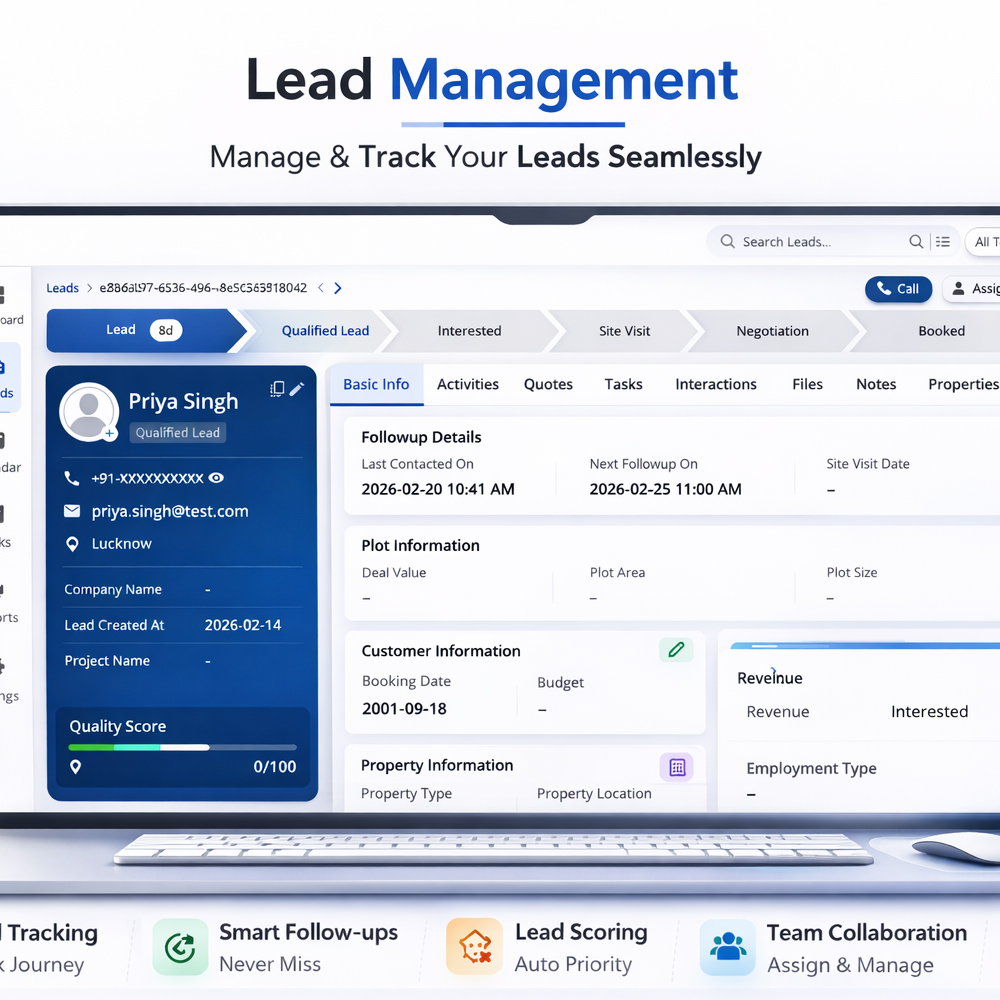
To solve these problems, we developed a custom CRM system designed specifically for the client’s sales workflow.
Centralized Lead Database
All leads from website forms, WhatsApp inquiries, and manual entries were stored in a single CRM dashboard.
Lead Status Tracking
Each lead was categorized into stages such as:
- ⟢ New
- ⟢ Lead
- ⟢ Contacted
- ⟢ Interested
- ⟢ Quote Sent
- ⟢ Converted
- ⟢ Lost
This provided a clear visual pipeline for the sales team.
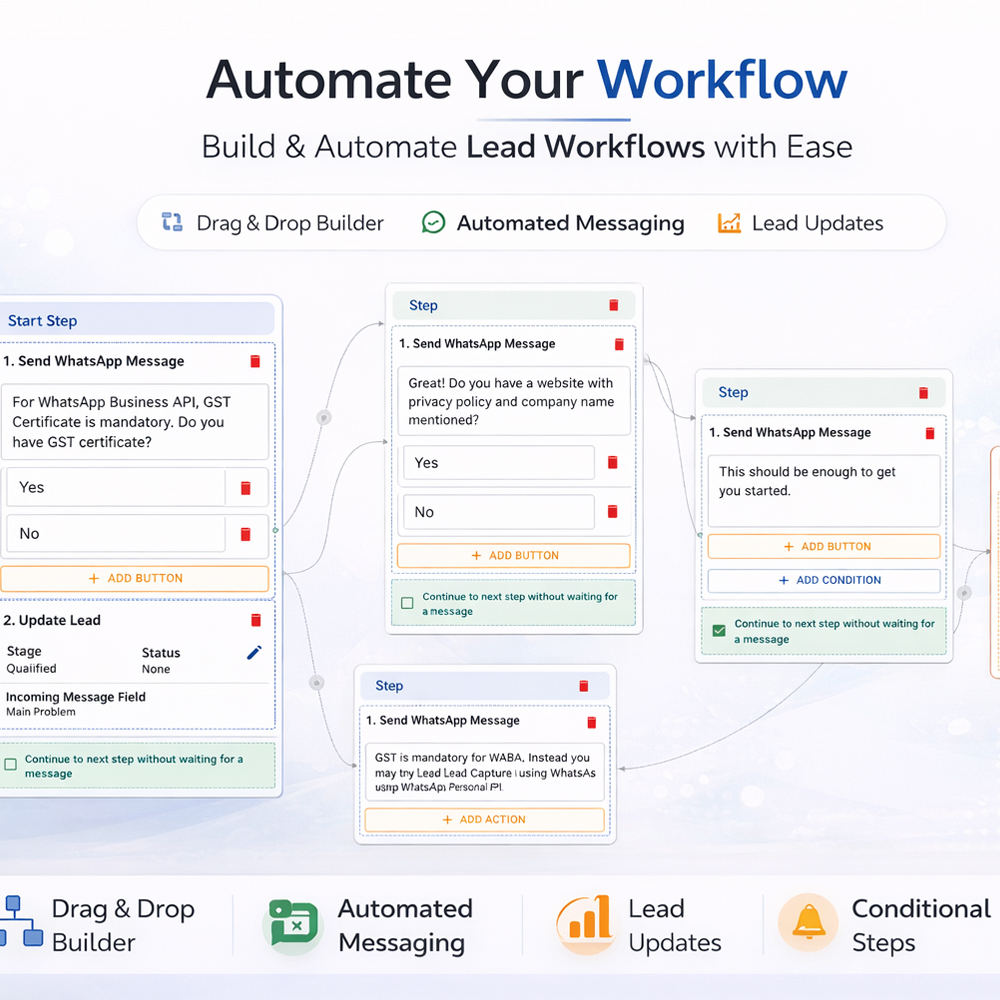
Automated Follow-Up Reminders
The system automatically reminded sales representatives about scheduled follow-ups to ensure no potential customer was ignored.
Sales Team Assignment
Leads were automatically assigned to specific team members, preventing duplication and improving accountability.
Dashboard & Reporting System
A real-time dashboard provided management with key insights such as:
- ⟢ Total leads received
- ⟢ Leads contacted
- ⟢ Conversion rate
- ⟢ Sales performance by team member
Implementation Process
Step 1 – Workflow Analysis
We studied the client’s existing sales process and identified the key stages involved in lead management.
Step 2 – System Design
A CRM architecture was designed that aligned with the company’s sales structure and team hierarchy.
Step 3 – CRM Development
The system was developed with modules for lead entry, follow-up tracking, task management, and performance analytics.
Step 4 – Integration Setup
Website inquiry forms were connected directly to the CRM to capture leads automatically.
Step 5 – Staff Training & Deployment
The sales team was trained to use the CRM for daily lead tracking and follow-up management.
Result Achieved
Improved Lead Organization
All customer inquiries were now stored in a centralized system that the entire team could access.
Higher Follow-Up Efficiency
Automated reminders ensured that leads were contacted on time, improving the response rate.
Better Sales Visibility
Management gained real-time insights into sales performance and lead conversion metrics.
Increased Conversion Opportunities
With structured follow-ups and lead tracking, the business was able to convert more inquiries into paying customers.
Enhanced Team Productivity
Sales representatives spent less time organizing data and more time focusing on customer interactions.
Key Business Impact
The CRM system transformed the company’s sales operations from an unstructured manual process into a systematic and data-driven lead management workflow, enabling the business to handle more inquiries efficiently and scale its sales process.

2. Automated Billing & Accounting System
Client Background
A mid-sized service business was handling daily financial operations such as invoicing, payment tracking, and expense recording manually using spreadsheets and paper records. As the business grew, managing financial data became increasingly difficult and time-consuming.
Client Challenge
Manual Invoice Creation
Invoices were created manually for each customer, which required significant administrative effort and increased the chances of calculation errors.
Payment Tracking Difficulties
The business struggled to track which invoices were paid, partially paid, or overdue, leading to confusion in financial records.
Disorganized Financial Data
Income and expense records were scattered across multiple spreadsheets, making it difficult to maintain accurate financial reports.
Delayed Financial Reporting
Preparing financial summaries for management required manually compiling data from different sources, which caused delays in decision-making.
Our Solution
We implemented an Automated Billing and Accounting System designed to streamline the client’s financial operations and improve overall financial visibility.
Automated Invoice Generation
The system allowed staff to generate professional invoices instantly using predefined templates, reducing manual work.
Integrated Payment Tracking
Each invoice was linked to a payment status system that automatically updated records when payments were received.
Centralized Financial Database
All financial transactions including invoices, payments, and expenses were stored in a single structured platform.
Real-Time Financial Dashboard
Management could monitor revenue, expenses, and outstanding payments through a real-time dashboard.
Automated Financial Reports
The system generated financial reports such as income summaries, expense breakdowns, and payment status reports automatically.
Implementation Process
Step 1 – Financial Workflow Assessment
We analyzed the client’s billing process, payment handling, and accounting methods to understand existing operational gaps.
Step 2 – System Design & Planning
A system architecture was created to manage invoices, payments, financial transactions, and reporting within a single platform.
Step 3 – Software Development
Modules for billing, payment tracking, expense recording, and reporting were developed according to the client’s operational requirements.
Step 4 – Data Migration
Existing financial records from spreadsheets were transferred into the new system to ensure continuity.
Step 5 – System Deployment & Training
The system was deployed and staff members were trained to use the new billing and accounting platform effectively.
Result Achieved
Faster Invoice Processing
Invoices could now be generated within seconds, reducing administrative workload.
Improved Payment Visibility
The business gained clear visibility into paid, pending, and overdue invoices.
Accurate Financial Records
Automated calculations minimized manual errors in financial data.
Real-Time Financial Insights
Management could access up-to-date financial information without waiting for manual reports.
Better Financial Control
The system provided structured financial tracking, allowing the business to manage cash flow more effectively.
Key Business Impact
The automated billing and accounting system replaced a fragmented manual process with a centralized and structured financial management platform, allowing the business to manage its billing operations more efficiently while maintaining accurate and accessible financial data.